
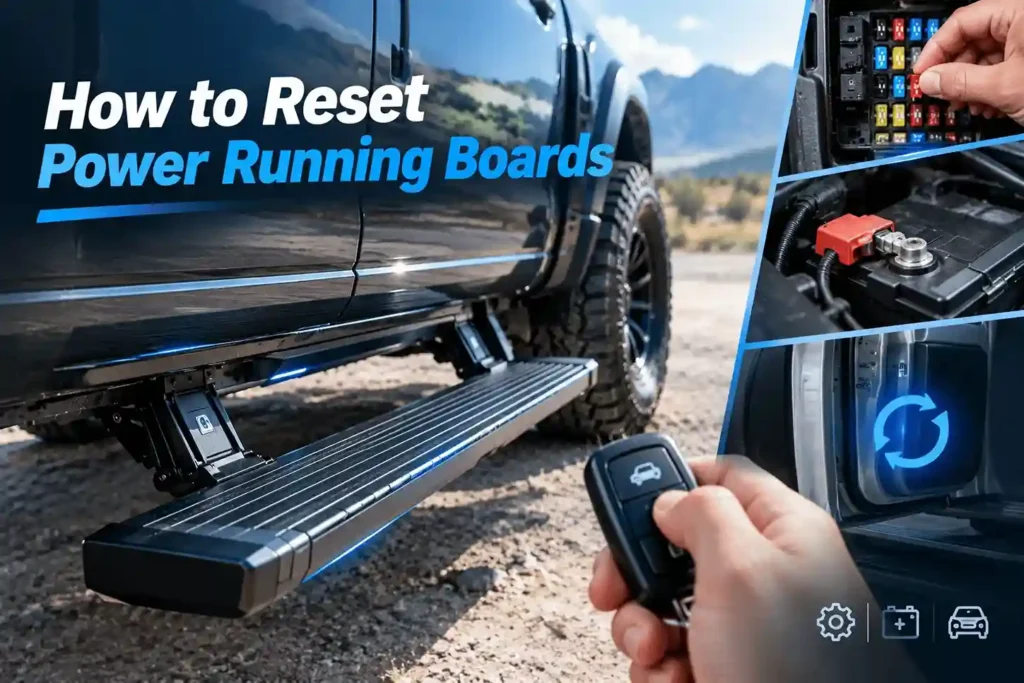
To learn how to reset power running boards, first check that the running board feature is enabled and that ice, mud, rocks, or damaged parts are not blocking the step. Then follow the reset procedure for your vehicle or running-board system. The process may include checking a fuse, power-cycling the controller, or disconnecting the battery if the manufacturer allows it. After power is restored, complete any required door-cycle or relearn procedure and test both sides. If a board still will not move, moves only a few inches before retracting, makes grinding noises, or blows the fuse again, a reset may not solve the problem. These signs can point to a mechanical or electrical fault.
Important: There is no single reset button for every power running board. Factory and aftermarket systems can use different vehicle settings, disable switches, fuses, controllers, door signals, and relearn procedures.
Why Power Running Boards Stop Working
When power running boards stop working, a reset may seem like the obvious solution. However, the cause can be electrical, mechanical, or related to the vehicle settings. Understanding how the system works helps you choose the right next step. The same symptoms can come from very different problems.
What Makes Power Running Boards Work?
A power running board system needs several parts to work together.
- The vehicle battery and charging system provide stable electrical power.
- A power running board fuse, relay, or inline fuse protects the circuit.
- The power running board control module receives signals and controls board movement.
- A power running board door sensor or vehicle door signal tells the system when to deploy or retract.
- The electric running board motor, gears, pivots, brackets, and linkages move the board under load.
A problem at any point can affect one running board or both sides. For example, a power problem may stop the complete system, while a damaged linkage may affect only one side.
Common Reasons Power Running Boards Stop Working
Several issues can cause power running boards not working or a power running board stopped working condition:
- Low battery voltage or recent battery service: A dead battery, jump-start, battery replacement, or unstable voltage can interrupt controller operation.
- Feature disabled in vehicle settings: Some factory systems offer modes such as Auto, Out, In, Disabled, or Off.
- Fuse, power, or ground problem: A blown fuse, loose terminal, damaged ground, corroded connector, or damaged harness can stop normal operation.
- Door-status signal issue: A faulty door-ajar switch, latch, or vehicle module signal can prevent deployment or retraction.
- Mechanical resistance: Ice, mud, gravel, road salt, misalignment, worn pivots, or a bent bracket can restrict board movement.
- Motor, gear, linkage, or controller failure: These problems need further diagnosis or repair. A reset alone may not correct them.
Re-enable, Reset, Relearn, or Repair?
| Action | ความหมายคืออะไร | When it may help | What it will not fix |
|---|---|---|---|
| Re-enable | Turns the automatic step system back on | The system is set to Disabled, Off, In, or another vehicle mode | Failed motor, broken wire, or seized linkage |
| Reset / Power Cycle | Restarts the controller by interrupting and restoring power | Temporary controller state, battery service, or a low-voltage event | Short circuit, worn gear, damaged connector, or bent hardware |
| Relearn / Calibration | Allows a compatible system to confirm inputs or travel positions | The vehicle or product manual specifies this process | Mechanical binding or defective components |
| Repair | Fixes the failed component or connection | Repeated fuse failure, one-side problems, grinding, or visible damage | — |
Before attempting a power running board reset, check the system state and visible condition. This quick check can prevent a simple setting or obstruction from being mistaken for a major electrical problem.
Before You Reset Power Running Boards
Before you reset power running boards, take two or three minutes to check the basic conditions. A simple setting or visible obstruction can cause a power running board stopped working problem. These checks also help you avoid unnecessary electrical work.
Confirm the System Is Enabled
Check the vehicle menu or dedicated switch for labels such as:
- Power Assist Step
- บันไดข้างรถ
- Automatic Steps
- Power Steps
- Assist Steps
Make sure the system is set to Auto or Enabled. Do not leave it set to Disabled, Off, In, หรือ Out.
Some factory systems use a dedicated disable switch. Others use a setting in the vehicle menu. The control method depends on the vehicle and running-board system. Do not copy a reset sequence from another vehicle brand, model year, or product.
Quick check: If both boards are silent and show no visible damage or unusual noise, an Auto or Enabled setting may be the only issue.
Check for Visible Obstructions and Identify the System
Look under and around the running boards. Check for ice, snow, mud, rocks, leaves, road debris, salt buildup, bent arms, or damaged brackets.
Do not force the board with your hand, foot, or a pry bar.
Next, identify the system. A factory-installed system may connect directly to the vehicle. An aftermarket system may use a separate controller, inline fuse, and door-trigger harness.
Check the vehicle owner’s manual or the MAX installation guide before touching a fuse, relay, controller, or battery terminal.
Safety note: Park on level ground, shift into Park, and set the parking brake. Keep hands and tools away from moving linkage. The boards can move when a door opens or power returns.
How to Reset Power Running Boards Step by Step
Follow these steps in order to reset power running boards. The exact procedure depends on the vehicle and running-board system. Factory-installed systems and aftermarket systems can use different switches, fuses, controllers, and relearn procedures. Use the instructions for your specific vehicle and running-board model whenever they differ from a general procedure.
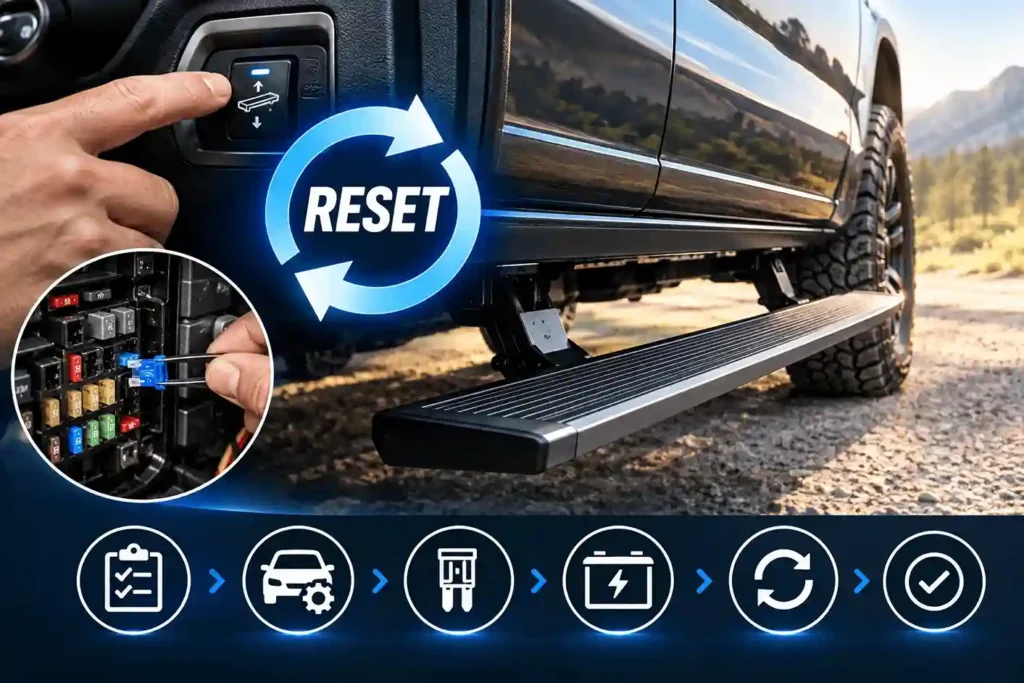
Step 1: Record the Symptom Before You Reset
Before starting a power running board reset, record what the system is doing. This information can help you decide whether the problem may need a reset, fuse check, or inspection of one side.
Use this quick checklist:
- Both sides or one side? Check whether both boards have the same problem.
- What is the board position? Note whether the board is fully retracted, fully extended, or partially deployed.
- What sound does it make? Listen for silence, clicking, humming, grinding, or brief movement.
- When did the problem start? Note whether it started after a dead battery, battery replacement, jump-start, cold weather, off-road driving, water exposure, or an impact.
- Does the vehicle detect the door correctly? Check whether the interior light or instrument cluster shows the affected door as open and closed.
These symptoms provide useful clues. A problem on both sides after battery service can point to a power or controller issue. A problem on one side can point to that side’s motor, connector, harness, or linkage.
Step 2: Re-enable the Power Running Board System
Some systems stop automatic operation because the feature is disabled or set to a manual position.
- Place the vehicle in Park and close the doors.
- Open the correct vehicle menu or use the dedicated power-step switch.
- Change the setting to Auto or Enabled if it is disabled, retracted, or manually extended.
- Open and close each door fully, one at a time. Watch whether both boards respond.
A message such as “Running Boards Enabled” may only restore the automatic feature. It does not necessarily reset a motor, clear a fault, or recalibrate travel positions.
If the boards still do not respond, continue to the next step.
Step 3: Find and Check the Correct Power Running Board Fuse
The exact power running board fuse location depends on the vehicle and system design. Use the vehicle owner’s manual or the MAX installation guide instead of relying on a generic fuse chart.
- Identify only the fuse, relay, or inline fuse assigned to the running-board system.
- Check fuse-box labels such as Power Step, Running Board, หรือ Assist Step, or use the label listed in the MAX wiring guide.
- Inspect the fuse visually or test it with a fuse tester or multimeter.
- Replace a blown fuse only with the same fuse type and amperage rating.
- Retest the boards through normal door operation.
Do not pull an unidentified relay to “try a reset.” Do not install a higher-amperage fuse. If the replacement fuse blows again, stop. The system may have a short circuit, damaged harness, water intrusion, or motor overload.
Step 4: Power-Cycle the Controller or Battery
Power-cycling can restart a controller after certain temporary electrical events. However, it is not a universal reset method.
Only perform this step when the MAX installation guide, vehicle owner’s manual, or OEM procedure allows or requires it.
- Turn the vehicle off. Follow the manufacturer’s instructions for the key position, ignition state, and module sleep time.
- Make sure nobody is near the running boards or moving arms.
- If the MAX system has a documented controller or inline-fuse reset, use that process first.
- If the documented procedure requires a battery reset, disconnect the negative battery terminal first.
- Wait for the period specified in the relevant manual.
- Reconnect the terminal securely.
- Restore the required setting, such as Auto or Enabled, after power returns.
Do not use a fixed waiting time for every vehicle. Different systems can have different requirements.
Power-cycling can restart a controller after a low-voltage event. It cannot repair damaged wiring, a failed motor, worn gears, a stuck door signal, severe corrosion, or a bent running-board bracket.
Step 5: Re-sync or Relearn Only When Your System Requires It
Some systems may require a relearn or calibration procedure after power is restored.
Some systems re-sync after opening and closing each door once. Some OEM systems use a specific menu, switch sequence, or diagnostic procedure. Some aftermarket systems use controller LEDs, a pairing button, or a defined ignition-and-door sequence.
Follow the exact documented procedure for your vehicle and the specific MAX Running Boards model.
Do not use Cadillac or GMC switch patterns as universal reset instructions for all trucks, SUVs, Jeeps, or aftermarket systems. A procedure that works for one system may not work for another.
Step 6: Test Both Sides and Use the Result to Choose the Next Step
After the reset or relearn procedure, test both running boards through normal door operation. Watch the movement and listen for unusual sounds.
| What happens after the reset | What it may mean | ขั้นตอนต่อไป |
|---|---|---|
| Both boards work normally | A temporary setting, low-voltage, or controller-state issue may have been resolved | Monitor for recurrence and check battery condition and connectors if it happens again |
| Both boards remain silent | The system may still be disabled, lack main power, have a blown fuse, or have a controller/ground issue | Recheck Auto/Enabled mode, the correct fuse, power source, ground, and controller connection |
| Only one board does not work | The fault is likely limited to that side | Inspect the affected-side motor, connector, harness branch, ground, linkage, and door signal |
| The board moves slightly, then retracts | It may detect resistance or receive an incorrect position or door-status input | Stop repeated cycling; check alignment, obstruction, linkage, connector, and door signal |
| The motor runs but the board does not move normally | Binding, stripped gear, failed actuator, damaged linkage, or bracket misalignment may be present | Stop forcing it; inspect the mechanism or seek service |
| The board deploys but will not retract | A door-closed signal issue, obstruction, controller protection, or side-specific wiring fault may exist | Check the door-ajar display, door latch behavior, linkage, and wiring |
| The fuse blows again | A short circuit, water intrusion, harness damage, or excess motor load may be present | Do not keep replacing fuses; arrange electrical diagnosis |
A successful reset should restore normal movement without unusual noise or repeated faults. If the same problem returns, treat the reset as a diagnostic step rather than a permanent repair. The next step may require electrical or mechanical inspection.
If Resetting Power Running Boards Does Not Work
A reset can clear a temporary controller or low-voltage condition. It cannot repair a damaged motor, wire, connector, gear, or bracket. If the บันไดข้างแบบไฟฟ้า still do not work after the correct reset procedure, use the symptoms to identify the next check.
One Power Running Board Works, but the Other Does Not
If one power running board works normally and the other does not, the entire system is not completely without power. Start with the affected side instead of repeating a full-system reset.
Check these areas:
- Motor and actuator connector: Inspect the connector on the failed side for a loose connection or visible damage.
- Branch wiring: Check the wiring between the controller and the affected side.
- Ground connection: Check the ground connection if the specific system uses a separate ground point.
- Corrosion and moisture: Look for moisture, green copper corrosion, white deposits, loose clips, or damaged insulation.
- Mechanical parts: Check the pivot points, linkage, gear housing, mounting hardware, and bracket alignment.
- Door signal: Confirm that the related door reports open and closed correctly.
A one-sided failure can have an electrical or mechanical cause. The motor may receive power but still fail under load. A connector may look connected but have corrosion inside. A bent bracket may also create enough resistance to stop normal movement.
Recheck the complete path before replacing a component.
Important: Replacing a motor without first confirming wiring, controller output, door input, travel alignment, and mechanical load can leave the original fault unresolved.
The Running Board Moves a Little, Then Retracts
A common electric running boards not working symptom occurs when the board moves a short distance and then retracts. The board may extend only a small amount before the system stops the movement.
This behavior can look like the board has detected an obstruction. However, several conditions can cause the same result.
Check for:
- Hidden debris: Ice, mud, rocks, pine needles, road salt, or other debris can restrict movement.
- Mechanical resistance: Bent brackets, worn pivots, loose fasteners, linkage misalignment, or resistance under load can affect travel.
- Electrical problems: A corroded, loose, wet, or damaged connector can interrupt the signal or power on the affected side.
- Door signal problems: An incorrect door-ajar or door-latch signal can cause unexpected movement.
- Position or control problems: Model-specific position feedback, limit functions, controller faults, motor problems, or gear damage can affect board travel.
The exact resistance-detection and position-feedback logic varies by system. Do not assume every power running board uses the same anti-pinch sensor or that a battery reset will recalibrate it.
If the board repeatedly retracts early after the correct reset and a basic mechanical inspection, it likely needs side-specific electrical or mechanical diagnosis.
When to Stop DIY Troubleshooting
Stop troubleshooting and arrange proper service if you find any of these conditions:
- A replacement fuse blows again immediately.
- You smell burning or find melted insulation or water inside a connector.
- The board is visibly bent, loose, or badly misaligned.
- The board may be unsafe to use or drive with.
- The motor repeatedly clicks, grinds, or hums without completing normal travel.
- The board deploys or retracts unpredictably.
- The motor has verified power and ground but does not operate.
- The vehicle continues to show a door as open after the door is closed.
- The exact system requires scan-tool diagnostics or a model-specific calibration procedure that you cannot verify.
At this point, repeated resets can waste time and may hide the original fault. Use the correct service information for the vehicle and running-board system, or have a qualified technician diagnose the affected circuit or mechanism.
Keep Your Power Running Boards Working Reliably
Regular care can help บันไดข้างแบบไฟฟ้า move smoothly and reduce avoidable problems. Dirt, salt, moisture, and loose connections can affect moving parts and electrical connections over time. A short inspection after harsh driving conditions can help catch these issues early.
Clean and Maintain the Moving Parts
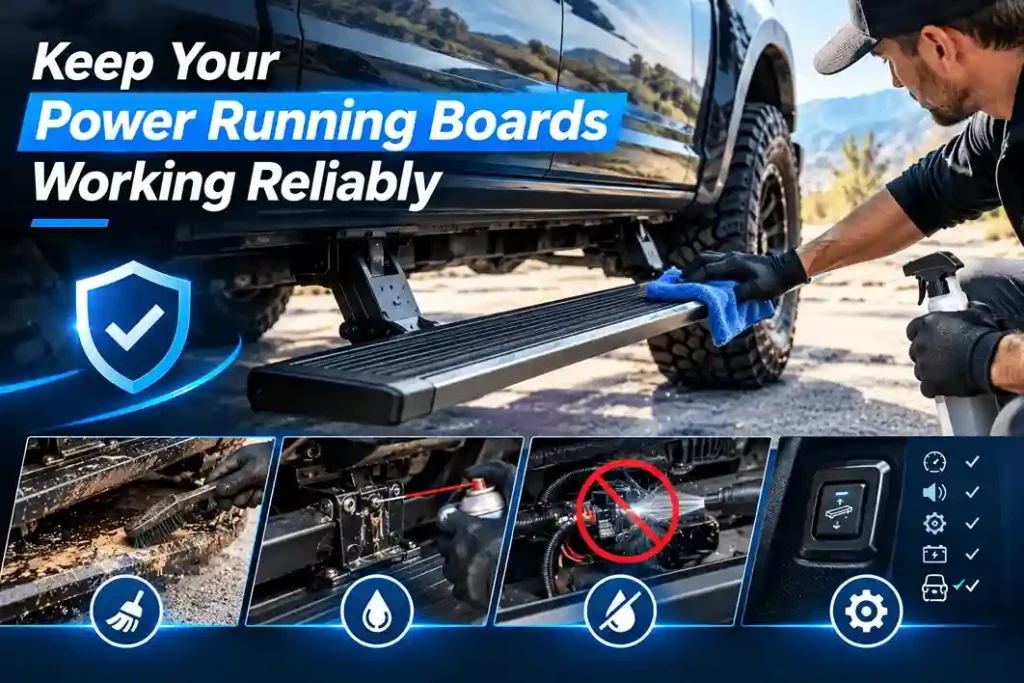
Remove mud, road salt, sand, ice, leaves, and other debris from the running boards and moving areas. Pay extra attention after winter driving, off-road use, or wet conditions.
Follow the applicable MAX maintenance and lubrication instructions for pivots and other moving components. Use the specified lubricant and apply it only to the parts that require lubrication.
Do not spray lubricant into motors, electrical connectors, sensors, or control modules. These components need different care.
Also avoid directing high-pressure water at the controller housing or electrical connections. Water can enter damaged seals or connectors and create electrical problems.
Watch for Early Warning Signs
A running board can show signs of a developing problem before it stops working completely. Watch for:
- Slower movement than normal.
- Intermittent deployment on one side.
- Squeaking, clicking, or grinding sounds.
- Repeated movement attempts.
- Corrosion or moisture around connectors.
- Chafed wiring near moving arms or mounting points.
- Unreliable door-open or door-closed signals.
- Low battery voltage, frequent jump-starts, or long-term vehicle storage.
Addressing a slow, noisy, or intermittent power running board early can prevent a minor cleaning, connection, or alignment issue from becoming a motor, controller, or linkage repair.
Get Model-Specific Help From MAX Running Boards
Power running boards are not all wired, controlled, or reset in the same way. For the safest procedure, use the installation guide and troubleshooting information for your exact MAX Running Boards system and vehicle application.
If the issue continues after the correct reset and basic inspection, MAX can help narrow down the possible cause. The issue may involve a vehicle setting, fuse, controller, door-trigger connection, motor, wiring, or mechanical component.
Consumer Support
When contacting support, provide as much useful information as possible:
- Vehicle year, make, and model.
- MAX Running Boards product information.
- Affected side.
- Current board position.
- Sounds or movement you observe.
- Recent battery service, weather exposure, or off-road use.
- A short video, when it is safe to record.
This information can help identify the correct troubleshooting path without unnecessary part replacement.
Installer and Dealer Support
Installers, dealers, and distributors can also contact MAX for model-specific installation and product information for supported vehicle applications.
For related resources, users can explore Shop MAX Power Running Boards, Find Your Vehicle Fit, และ Read Installation Guides to find product and installation information for their application.
สรุป
Resetting power running boards can solve a temporary setting, power, or controller issue, but it cannot fix damaged hardware or wiring. Start by checking the system setting, recording the symptoms, checking the correct fuse, and following the approved reset procedure for your vehicle and running-board system. After the reset, test both sides and watch for repeated faults.
Need help with your MAX Running Boards? Check the correct vehicle application and installation guide, or contact MAX for model-specific support.
References
[1] MAX Running Boards, “How Do Power Running Boards Work?” – https://maxrunningboards.com/how-do-power-running-boards-work/
[2] MAX Running Boards, “Power Running Board Problems” – https://maxrunningboards.com/power-running-boards-problems/
[3] JustAnswer, “Retractable Running Boards Fine Now, Cleaned and Lubed, but Need to Reset Motor” – https://www.justanswer.com/gmc/lljtn-retractable-running-boards-fine-now-cleaned.html
[4] Cadillac Forums, “How to Reset Locked or Stuck Power Running Boards” – https://www.cadillacforums.com/threads/how-to-reset-locked-or-stuck-power-running-boards.252809/
[5] Reddit r/gmcsierra, “Running Boards – How to Reset” – https://www.reddit.com/r/gmcsierra/comments/1dqce8o/running_boards-how-to-reset/
